Client reports should not take over your Friday.

Turn project activity into clear, client-ready reports in minutes instead of spending hours writing updates by hand.

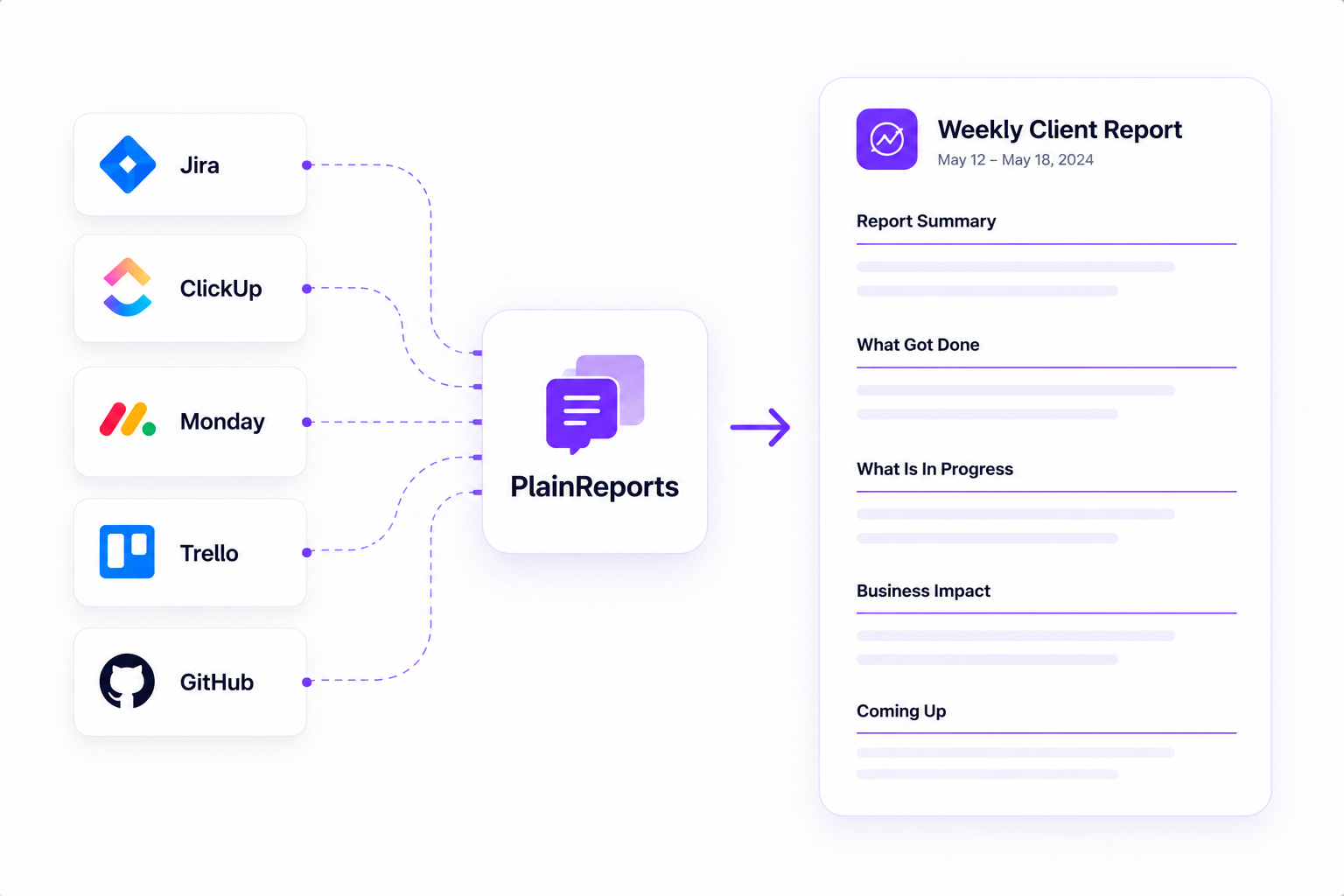
PlainReports connecting project tools to a weekly client report

The update is already in your project tools

Keep your team in its normal tools. PlainReports turns the activity into an automated draft when it is time to explain progress to a client or executive.

01

Connect tools

Link Jira, ClickUp, Monday.com, Trello, or GitHub Issues without changing where your team works.

02

Generate drafts

Create a structured, client-friendly draft automatically from the activity that matters.

03

Send

Review the wording, approve the report, then email it or publish it to the client portal.

Reporting features without project-management clutter

PlainReports focuses on the communication layer: automated drafts, approvals, scheduled delivery, PDFs, and the report portal your client actually sees.

Automated drafts

A full report drafted from real project movement, not a blank page

PlainReports reads your tickets, groups related work, and writes a structured plain-English summary covering what got done, what is in progress, business impact, and recommended focus.

18 tickets → one report
<2 min average generation time
5 min average review time
Client portals

One clean place for every report you have ever sent

Clients see what you have shared, without access to internal boards, comments, or team conversations.

All plans No login required
Scheduling

Recurring reports on a rhythm

Set weekly or monthly schedules per project. PlainReports drafts reports on time and can send them automatically after approval settings are met.

Delivery

Email, portal, or PDF, your call

Send however the client relationship works best. Include a portal link, attach a PDF, or keep the report inside the portal.

Approval workflow

Nothing sends without your sign-off

Reports stay in draft until your team approves them. Edit sections, reorder details, or remove anything before it leaves your workspace.

Connect the tools where work already happens

PlainReports reads project movement so reports stay grounded in real activity, not memory or guesswork.

Jira
Issues, status movement, and project activity
Monday.com
Boards, groups, and item movement
GitHub Issues
Issue status and discussion activity
ClickUp
Tasks, lists, and status changes
Trello
Boards, cards, and list movement
More
Additional project tools are planned

Start small. Upgrade when reporting gets busier.

Every plan includes client portals, unlimited reports, and email delivery. Start with a 7-day trial.

Solo
$19 USD/mo
$190 USD/yr

Save $38 USD per year

For solo operators keeping a few clients confidently informed.

Start free trial
  • 2 clients
  • 2 projects per client
  • 1 team seat
  • Unlimited reports
  • Unlimited connected accounts
  • 2 connected sources per project
  • Activity sync every hour
  • Client report portal
  • Scheduled Progress Reports not included
Agency
$129 USD/mo
$1290 USD/yr

Save $258 USD per year

For agencies managing client reporting across several projects.

Start free trial
  • Unlimited clients
  • Unlimited projects per client
  • Unlimited team seats
  • Unlimited reports
  • Unlimited connected accounts
  • Unlimited connected sources per project
  • Activity sync every 15 minutes
  • Client report portal
  • Scheduled Progress Reports

No report-generation limits. Cancel anytime.

A few practical questions

Does PlainReports write back to our tools?

No. It reads project activity for reporting and does not create, edit, or delete tickets or tasks.

Can we edit reports before sending?

Yes. Reports start as drafts, so your team can adjust the wording before approval and delivery.

What does the client portal show?

Only approved reports and project report history. It is intentionally simpler than a project management board.

Can clients see our internal comments?

No. Client portals are designed for approved reports, not raw tickets, internal notes, or team discussions.

Do clients need their own account?

No. You can share the portal link with the people who should see approved reports.

Can reports be sent by email?

Yes. You can send reports to saved recipients, include the portal link, and attach a PDF copy when needed.

Can reports be scheduled?

Yes on Studio and Agency plans. Solo users can still create and send reports manually.

How far back can activity be imported?

That depends on the plan. Solo includes 60 days, Studio includes 180 days, and Agency includes 2 years.

Will this replace Jira, ClickUp, Monday.com, or Trello?

No. Those tools stay where project work happens. PlainReports sits above them as the reporting layer.

Is this for tracking developers?

No. PlainReports is for client and stakeholder communication, not employee monitoring or productivity scoring.

How long does setup usually take?

Most teams can create a client, add a project, connect a source, and draft a first report in a short session.

Can this be used for internal reporting?

Yes. Agencies, freelancers, founders, and internal product teams can all use it for clearer project updates.

What if our tool is not supported yet?

PlainReports currently focuses on Jira, ClickUp, Monday.com, Trello, and GitHub Issues. More integrations are planned.

Are reports limited by plan?

No. Plans are separated by clients, projects, connected sources, team seats, and scheduling.

Do we need a credit card for the trial?

No. Start the trial first, then choose a paid plan from billing when you are ready.

Your clients do not need another ticket board.

Give them an automated report draft your team can approve in minutes, without rewriting project activity manually.